Use an iPhone as a camera
Updated 2026-10-26
Stream an iPhone's camera to your site like any other camera, and send videos from the phone into the evidence vault. Needs Sentinel Cloud.
An old iPhone on a shelf can watch a room, a driveway or a shop door. Sentinel treats it like any camera: live view everywhere, recording, detection, events and alarm rules. It works on your home network and through Sentinel Cloud.
What you need
- An active Sentinel Cloud plan on the site. Without one, the iPhone shows that using it as a camera is part of Sentinel Cloud, and the site's administrator can turn it on.
- The Sentinel VMS app, signed in to the site, on the iPhone.
- The first time, someone who may manage cameras (an Admin) adds the phone. After that, anyone signed in on that phone can start and stop streaming.
Start streaming
- On the iPhone open Settings. In the This iPhone card tap Use this iPhone as a camera.
- Type a Camera name, such as "Garage".
- Choose the Lens (Back or Front), the Quality and whether the Microphone is on. Quality is 720p · 30 fps, 1080p · 30 fps or 720p · 15 fps (saves data).
- Tap Add camera and start streaming. Next time the button reads Start streaming.
Keep Sentinel open on that screen while it streams. iOS pauses the camera when the app goes to the background, and streaming resumes when you come back. Keep the phone plugged in. Tap Stop streaming or Done to end it.
On the server
The camera appears in Admin → Devices → Cameras, with Streaming or Not streaming and when the phone was last seen. In live view its tile has a small phone badge.
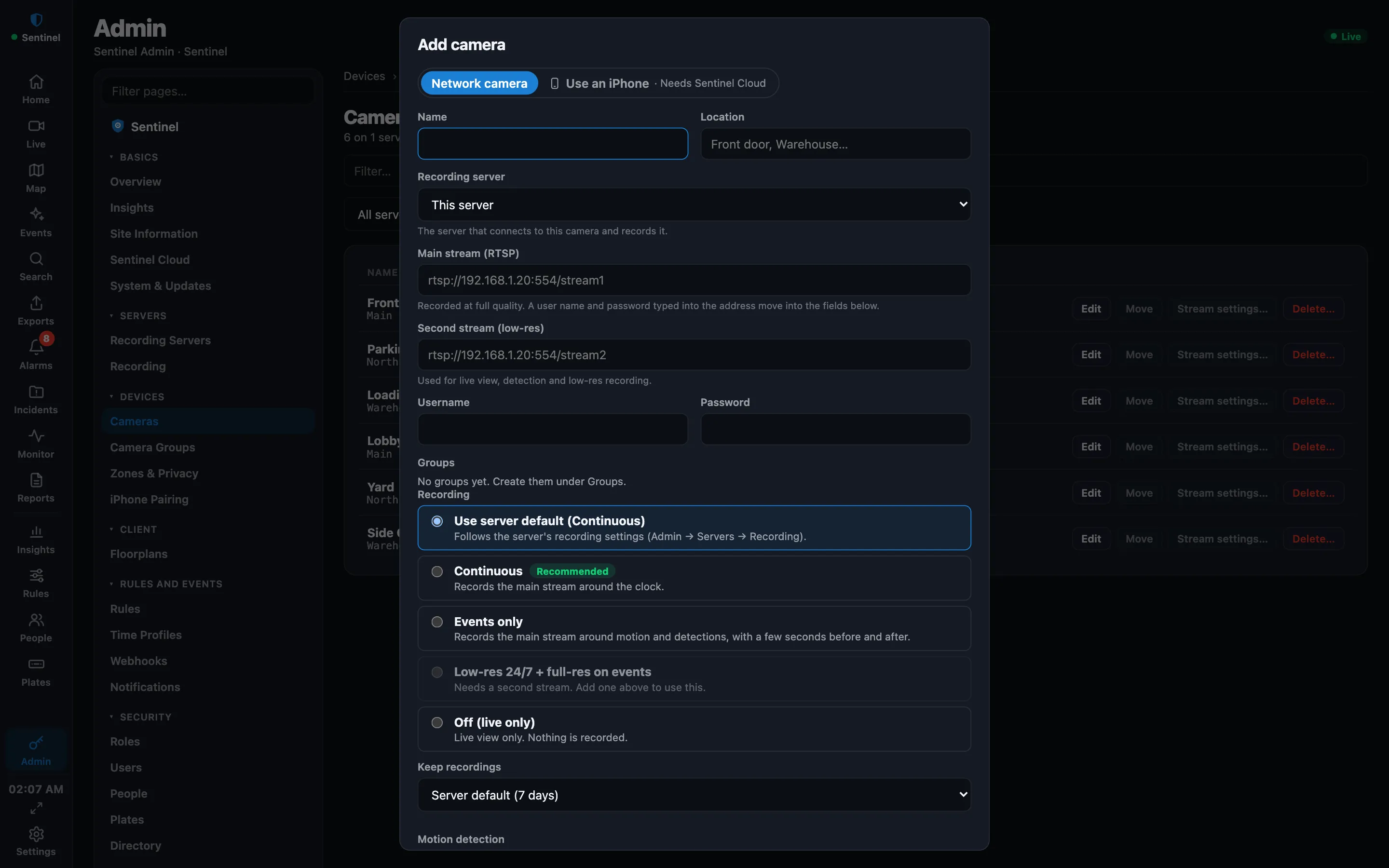
- A phone camera has no RTSP or ONVIF fields. Recording works as for any camera, except Low-res 24/7 + full-res on events, which needs a second stream. See Recording modes and storage.
- In the camera's editor, Rotate key… gives the phone a new streaming key. Use it if the phone was lost or passed on; the phone then has to be set up again. Revoke key… stops it from streaming at all. The camera and its recordings stay.
- If the site's Cloud plan ends, the camera shows Needs Sentinel Cloud and stops within a few minutes. Existing recordings stay playable.
Send a video from the iPhone
With Sentinel Cloud, a phone can also add a video to the evidence vault.
- Tap Add video on an event or alarm, or Send a video to Sentinel in Settings.
- Choose Choose from Photos or Record a video, then add a Title and an optional note.
- Tap Send to Sentinel. The video goes up in small pieces, so it can pause and continue. Keep Sentinel open until it finishes.
The video appears in the Exports tab as a case marked as uploaded from an iPhone. See Export video and evidence.
More guides, including Sentinel Cloud setup and users and roles, are in the knowledge base for signed-in users.