Guides › Running a site
Add a recording server
Updated 2026-10-22
Spread cameras across several machines that all appear as one site.
A site has one management server (users, rules, the dashboard) and one or more recording servers (cameras and video). A small site runs both on one machine. Add recording servers when you run out of disk or CPU, or have cameras in another building.
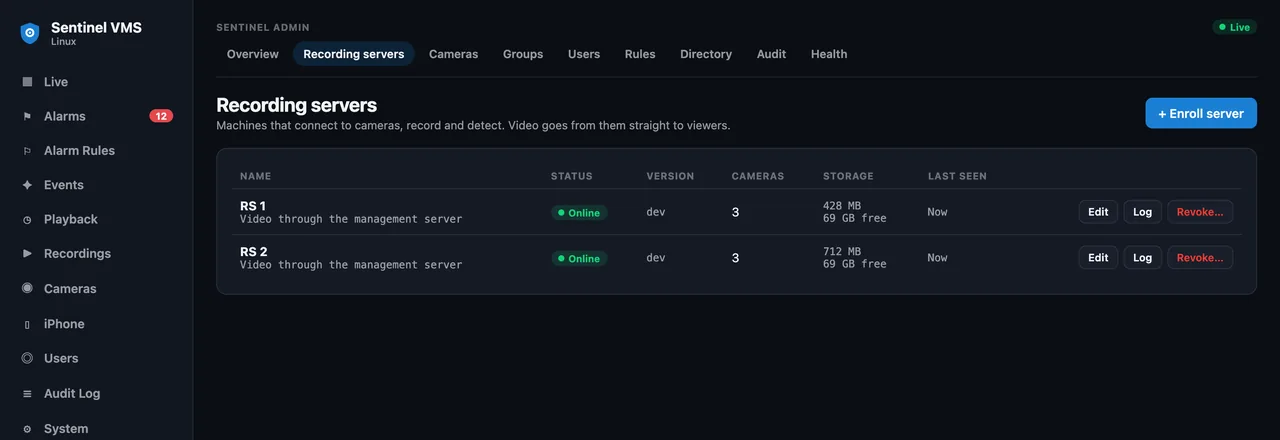
Enroll the new machine
- Install the Sentinel server on the new machine as for Linux or Mac.
- In Admin → Servers → Recording Servers choose Enroll server. Sentinel creates a one-time token, valid for one hour, and shows the command to run.
- Click Copy command and run it on the new machine. It connects back to the management server over an encrypted link and appears in the list.
Move cameras
Edit a camera in Admin → Devices → Cameras and pick the new recording server. Older recordings stay where they were recorded and remain playable.
If the management server goes down
Recording servers keep recording, and keep serving live view and playback to signed-in viewers, until it is back.
More guides, including Sentinel Cloud setup and users and roles, are in the knowledge base for signed-in users.